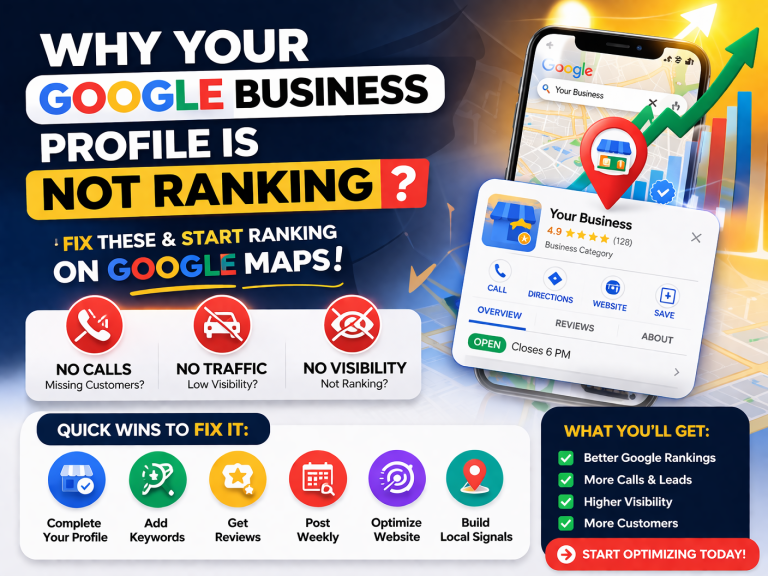
How to Rank GMB Profile Fast
Is this for 2026 ?
Yes| these Guideline are for 2026, further you can contact us for more help, we will Optimized your GMB completely.
If you run any local business the question How to Rank GMB Profile Fast comes in your mind either your are plumbing, roofing, dental, salon, real estate, or even a home-based service, your Google Business Profile (GMB) is your biggest weapon for getting customers fast. Ranking on the top 3 results of Google Maps is like getting free advertising 24/7, and the best part? It doesn’t require years of SEO knowledge.
But to rank fast, you need more than a basic profile. You need a fully optimized, activity-rich, keyword-aligned, review-strong GMB that Google trusts.
This guide explains everything in a simple yet advanced tone, so it’s easy to understand but still powerful enough for professionals.
What Makes a GMB Profile Rank Fast?
Google uses three core pillars to decide who deserves to rank:
1. Relevance
How closely your profile matches what the user is searching.
2. Distance
How close your business is to the user’s physical location.
3. Prominence
How reputable, active, and trusted your business looks online.
Your job is to improve all three—especially relevance and prominence, because you can’t change your location (unless you move your office just for ranking… which nobody wants).
Before You Start Optimization: Prepare These Essentials
| Requirement | Why It Matters |
|---|---|
| Verified GMB Profile | No verification = No ranking. |
| Local Phone Number | Google prefers local landline/mobile numbers. |
| Real or Virtual Address | Needed for Google Maps placement. |
| 3–Page Website | Boosts credibility and keyword coverage. |
| Logo + Cover Photo | Makes your profile look legit. |
| Business Hours | Must be accurate. |
| At Least 3 Initial Reviews | Helps early ranking. |
Step-by-Step: How to Rank Your GMB Profile Fast
Below is a refined, professional, casual-style guide used by top agencies (including what OptiZite can offer clients).
Step 1: Complete a Perfect GMB Setup
Most people rush this part. Don’t. Google rewards profiles that are 100% complete.
What you MUST complete:
- Business Name (clean, no keyword stuffing)
- Address or Service Area
- Local Number
- Website Link
- Business Category
- Hours
- Logo & Cover Photo
- Attributes (Wheelchair accessible, women-led, etc.)
A full profile = higher trust = faster ranking.
Step 2: Nail Your NAP Consistency
Your NAP means:
- Name
- Address
- Phone Number
This information should match:
- Your website
- All directories
- Social media pages
- Citation sites
Why it’s important:
Inconsistent NAP confuses Google and drops your ranking.
Step 3: Choose the Right Categories
Your primary category is one of the strongest ranking signals.
Example:
If you’re an electrician:
- Primary: Electrician
- Secondary: Lighting contractor, Electrical installation service, Emergency electrician, etc.
More categories = better keyword coverage.
Step 4: Add High-Quality Photos and Short Videos
Photos help your ranking because they boost:
- Trust
- Engagement
- Behavior signals
Add these:
- Logo
- Cover
- Exterior
- Interior
- Team
- Work in progress
- Before/After
- 10–30 sec videos
Upload 3–5 photos every week for continuous ranking growth.
Step 5: Write an SEO-Optimized, Human Description
Make sure to include keywords like:
- GMB setup
- GMB optimization
- Local SEO
- Your services
- City name
Example (casual + professional tone)
We provide full plumbing and drainage solutions in Irvine, CA, including emergency repairs, leak detection, and water heater installation. With fast response times and honest pricing, we help homeowners and businesses get quick, reliable service whenever they need it.
Focus on real language, not robotic keyword stuffing.
Step 6: Create Strong Local Citations
Citations are your business details on other websites.
They act as trust votes.
Top citation sites:
- Yelp
- Yellow Pages
- Bing Places
- Foursquare
- Apple Maps
- BBB (if possible)
Aim for 30–50 citations with matching NAP.
Step 7: Get High-Quality Reviews (Not Fake Ones)
Reviews are KING in GMB ranking.
What a strong review includes:
- Keywords
- City name
- Specific service experience
Example:
“Great emergency plumbing service in Irvine. Super fast response, solved the issue perfectly.”
Google reads these keywords and ranks you for them.
Step 8: Post Consistently
Google rewards an active profile.
Post ideas:
- Offers
- Discounts
- New services
- Photos
- Before/After
- Updates
- Q&A
2–3 posts per week is ideal.
Step 9: Add All Products & Services
This is an easy but often ignored trick.
Each service should include:
- Title
- Keywords
- Short description
- Price range
- Photo (optional but beneficial)
This helps your keyword visibility massively.
Step 10: Build Local Backlinks
Backlinks are still powerful.
Best local backlink sources:
- Local news
- Local blogs
- Directories
- Niche forums
- Local chambers
- Local sponsor pages
Even 5–10 local backlinks can push you into the top 3.
Step 11: Increase User Interaction (Secret Ranking Trick)
Google tracks:
- Clicks
- Calls
- Website visits
- Driving direction requests
- Time spent on your website
Boost these with simple actions:
- Share your GMB on Facebook
- Share it in WhatsApp groups
- Share it on your website
- Ask friends to click around your profile
These behavior signals help a lot.
Step 12: Use Tools to Track & Improve Rankings
Top tools:
- Local Viking
- BrightLocal
- Local Falcon
- GMB Everywhere (free)
- PlePer
Use grid searches to monitor how far your ranking radius extends.
GMB Optimization vs Full SEO (Clear Difference)
| Factor | GMB Optimization | Full SEO |
|---|---|---|
| Ranking Speed | Fast (1–4 weeks) | Slow (3–6 months) |
| Visibility | Only local | Local + national/global |
| Cost | Low | Higher |
| Requirements | Photos, reviews, posts | Backlinks, content, technical SEO |
| Best For | Local business | Any business |
| Calls/Leads | Very high | Moderate (depends on niche) |
Both are powerful but serve different goals.
Quick GMB Ranking Checklist (Actionable)
- ✔ Use accurate NAP everywhere
- ✔ Choose the best primary category
- ✔ Add 20–50 photos
- ✔ Publish 2 posts weekly
- ✔ Get 10–20 reviews naturally
- ✔ Build 30–50 citations
- ✔ Add all services/products
- ✔ Share GMB link to boost engagement
- ✔ Track weekly using grid tools
Follow this consistently for 30 days = top 3 ranking in most niches.
Frequently Asked Questions (FAQ)
1. How long does it take to rank a GMB profile?
If properly optimized, businesses usually see improvements in 7–21 days. Competitive niches may take longer.
2. Do fake reviews help ranking?
No—fake reviews can get your profile suspended. Google is extremely strict about this.
3. Can I rank without a website?
Yes, but a website boosts ranking dramatically. Even a simple 3-page site is enough.
4. Does posting daily help?
Daily posting is not required.
2–3 posts per week is more than enough for healthy ranking.
5. What is the strongest GMB ranking factor?
Reviews + Categories + Proximity + Behavior signals.
6. Can I rank in multiple cities?
Yes, but only with:
- Strong authority
- Local backlinks
- Service area optimization
- Content targeting each city
- Local landing pages
7. Why did my GMB ranking suddenly drop?
Possible reasons:
- Suspicious reviews
- Category change
- Competitors improving their profiles
- NAP inconsistencies
- Address issues
- Low activity
Conclusion
Ranking your GMB profile fast is not magic—it’s a smart combination of optimization, activity, trust signals, and consistency. If you follow this guide seriously, your profile will rise quickly and stay stable even in competitive markets.
A well-optimized GMB can bring daily calls, more website visits, more customers, and long-term growth without spending a rupee on ads.
IF YOU WANT TO OPTOMIZED YOUR BUSSINES?
You can get Quote from Optizite.